
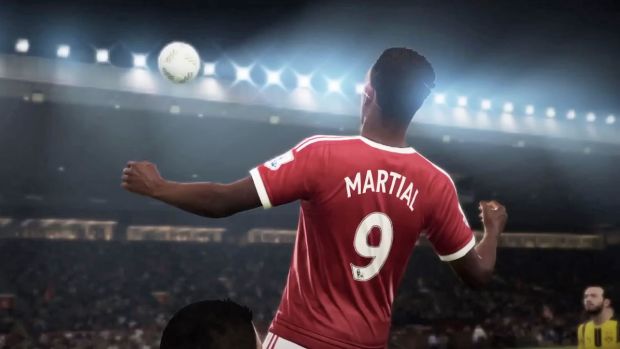
FIFA 17 is an ambitious game- it may yet be the most ambitious sports game ever made. It’s ambitious enough that you are willing to overlook some minor problems it may have along the way. For PC players, especially, that includes a whole lot of technical problems in trying to just get the game to run.
While those mistakes can be ignored in favor of the quality of the larger product, those same problems can interfere with your enjoyment of FIFA 17, if they are not resolved. That’s where we come in- this guide will help you address some of the most common problems PC players are running into with FIFA 17.
But first, the specs required to run the game:
Minimum Specifications:
- Operating System: Windows 7 or 8 or 8.1 (only) 64-Bit
- CPU: Intel Core i3-2100 @ 3.1GHz OR AMD Phenom 7950 Quad-Core OR AMD Athlon II X4 620 OR Equivalent
- RAM: 4GB
- Hard Drive Space Required: 15 GB
- Minimum Supported Video Cards for FIFA 17: ATI Radeon HD 5770, NVIDIA GTX 650
- DirectX: Version 11.0c
- Single System Multiplayer: 2-4 players and 1 keyboard on a PC and Origin
- Input Devices: Keyboard, Mouse, Dual Analogue gamepad, VOIP Headset
Recommended Specifications:
- Operating System: Windows 8 or 8.1 or 10 (only) 64-Bit
- CPU: Intel i5-2550K @ 3.40GHz OR AMD FX-6350 Six-Core OR Equivalent
- RAM: 8GB
- Hard Drive Space Required: 15 GB
- Minimum Supported Video Cards for FIFA 17: ATI Radeon HD 6870 OR NVIDIA GTX 460
- DirectX: Version 11.0c
- Single System Multiplayer: 2-4 players and 1 keyboard on a PC and Origin
- Input Devices: Keyboard, Mouse, Dual Analogue gamepad, VOIP Headset
Please be advised that the following methods are to be used at the sole discretion of the system owner. GamingBolt or its staff members take no responsibility for problems that may arise or issues that may occur from trying the below. Always remember that official support is always the best support.
RESOLUTION FIX:
- Go to C:\Documents\FIFA 17
- Find the file fifasetup.ini, and open it with a text editor like Notepad
- Put your desired resolution at the RESOLUTIONHEIGHT and RESOLUTIONWIDTH fields. Save and exit, and restart the game.
ERROR 327683:o (CAN’T DOWNLOAD/INSTALL)
- Disable your anti virus software while you download and install FIFA 17.
LOW FRAMERATE/STUTTERING
- Make sure all of your video and sound drivers are updated
- Make sure to close all background programs, including anti virus software and any overlays you may have
- Go to the Task Manager and set FIFA 17 to run as a High Priority task
- If you are playing the game on a laptop, make sure you are running the dedicated GPU while playing the game, instead of the integrated one
- Turn off V-Sync, as well as multi-thread processing.
- Turn off multi core processing options, such as SLI Crossfire
- Disconnect from the internet, and try to run the game offline
For Nvidia users only, you may want to try the following fixes:
- Add profiles for fifaconfig.exe and fifa15.exe in your GPU control panel
- Run regedit. To run it, go to the Start Menu and type regedit in the search box. In regedit, change the value of these two keys from 1 to 0:
HKEY_LOCAL_MACHINE\ SOFTWARE\ Microsoft\ WindowsNT\ CurrentVersion\ Windows\ RequireSignedAppInit
HKEY_LOCAL_MACHINE\ SOFTWARE\ Wow6432Node\ Microsoft\ WindowsNT\ CurrentVersion\ Windows\ RequireSignedAppInit
CONTROLLER NOT WORKING
- Download a third party controller option, such as x360ce
- Extract the contents from the archive, copying x360ce_x64.exe in particular to FIFA 17‘s game directory
- Launch the software, and under Controller 1, select Auto as your preference
- Save and exit, and boot up FIFA 17
Note: Given that the wide range of PC hardware out there, the fixes mentioned here may or may not work for you. But it’s worth giving them a shot since these have worked for players who own the PC version of FIFA 17.