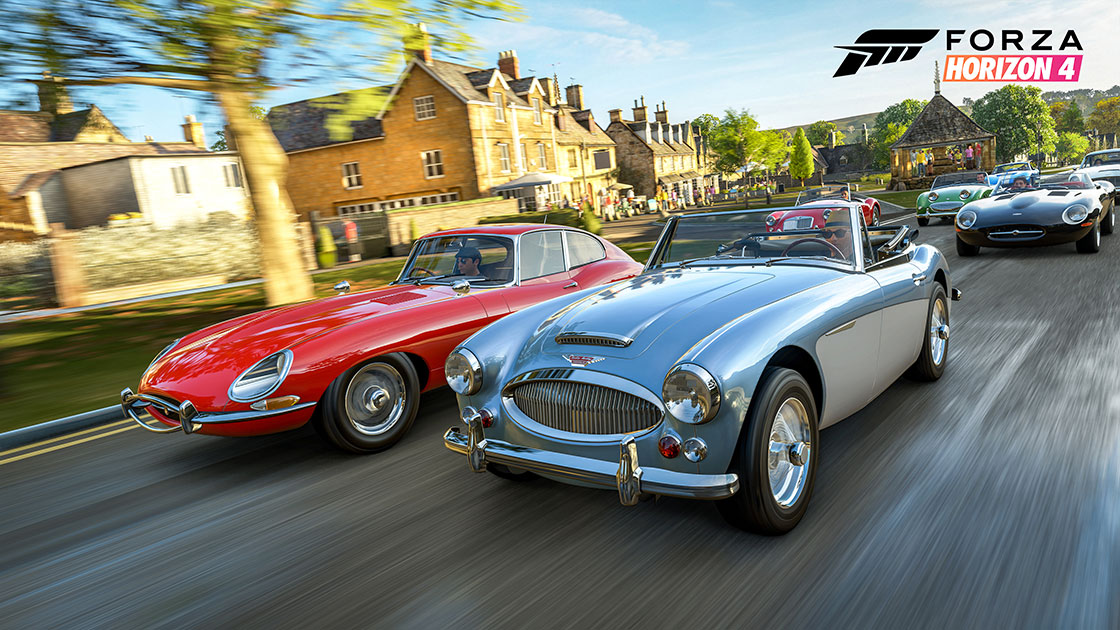
Forza Horizon 4 lets you live out your fantasies of racing cars across the British countryside. It’s awesome, even more so because you can take existing cars and tune them up further to be even better than they already are.
And that’s just cars! You can also customize your own character (though the character editor is super basic, but hey, it’s not like you’re looking at your own character all that much anyway, am I right?)
CUSTOMIZING YOUR CHARACTER
You get to select a look and name for your character right at the start of the game, but you can actually customize your character further during the course of the game too. To be able to do so, you need to buy your first house in the game- once you have done so, you need to head to your house. This opens up a whole lot of options for you, including, yes, customizing your character, far beyond the initial character editor at the start of the game let you. You can change individual clothing articles now, for example.
As a sidenote, if you ever want to change your character’s name, all you do is pull up the options menu, and select the option there to do so.
CAR TUNING GUIDE
Car customization is integral to doing well in Forza Horizon 4. The cars you get, the stock ones, those are good. They go fast, they handle well. But they’re ill equipped for the races you will participate in, especially since other racers, AI and human ones alike, will have tuned and modded their cars to make them even better. So you need to tune your car. Thankfully, it’s not as intimidating as it seems:
Tires: Tire pressure is extremely important: higher tire pressure means better handling and higher speed, but comes at the cost of traction. Lower pressure means better traction, but you’re punishing your tires more, not to mention trading out on speed and handling.
Antiroll Bars: These can be used to help with cornering. Decreasing stiffness causes reduced oversteer. Increasing stiffness, conversely, means raised oversteer.
Differential: There are two settings involved here, in fact- acceleration and deceleration. Higher acceleration means individual wheels don’t slip, but you reduce overall stability (and vice versa for lower). Meanwhile, deceleration can be set high for better stability, but a loss of speed (and vice versa).
Brakes: I don’t have to explain what these do, but in any case- they determine the braking capability of your car. Going rear heavy reduces car stability and increases oversteer, while front heavy increases stability and understeer.
Aerodynamics: Increasing downforce=better handling (which means you navigate corners better). This much is basic, but remember, it always comes at a tradeoff (in this case, you punish your tires more by increasing downforce).
Alignment: Okay, this is a really complex one, since you get multiple options, and even a slight tweak can alter the handling and feel of your car substantially. All I can say is, play around with the tweaking a bit and find something that suits your particular style of driving the best. I always favor handling over speed and acceleration, so I like the Negative Chamber, but what you like will come down specifically to what kind of driving style you have.
Springs: This determines the ground clearance your car has, but also the cushioning it gets. Again, clearance comes at the cost of cushioning, and vice versa.
The one thing I will say again- if this all seems hopelessly complicated, don’t be afraid to use Auto Upgrade. It’s a perfectly fine and viable option that is more than good enough, and decks out your car with upgraded gear really well and intelligently.