







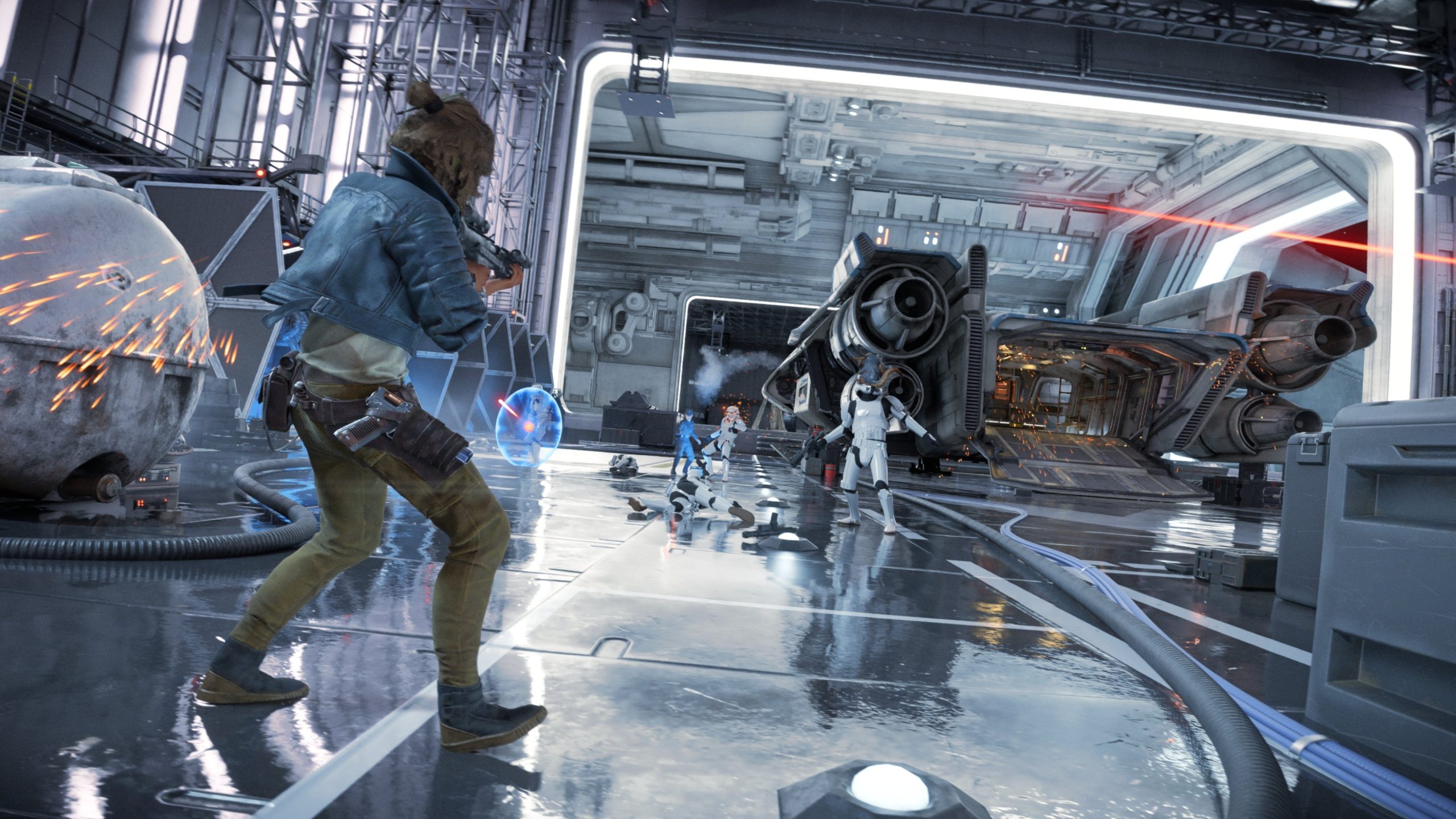
With Star Wars Outlaws going gold and launching in less than a month, Massive Entertainment has outlined all the accessibility features included. There are High Contrast settings, FOV sliders for aiming and default movement, and options to configure motion blur, depth of field, chromatic aberration, and screen shake.
Subtitles are included, with options to modify size, colors and background, and there’s support for multiple audio settings like 5.1, 7.1, and ATMOS overhead speakers. PS5 players can also note that motion aiming with the DualSense is possible alongside haptic feedback intensity.
Various gameplay options include fast travel between discovered locations, auto-grabbing ledges, safe climbing (making it impossible to fall), automatically avoiding objects on the speeder, and much more. Check out the list below.
Star Wars Outlaws is available on August 30th for Xbox Series X/S, PS5, and PC. Check out the latest quest gameplay here or learn more about Toshara, one of the game’s moons. You can also head here for details on Nix (who has accessibility settings for automatically pickpocketing, attacking, etc).
ACCESSIBILITY FEATURES LIST
VISUALS
- High contrast settings – remove all color from the background, apply colors to important gameplay elements (e.g., ally, hostile aware/unaware, interactable, climbable surfaces), and with a choice of colors and transparency.
- Colorblind accessible by design wherever possible.
- Visual intensity configurable through a range of settings, including screen shake, depth of field, motion blur (general, camera, and per-object), and chromatic aberration.
- View angle (FOV) configurable separately for default and while aiming.
AUDIO
- No audio reliance – important information is communicated by other channels in addition to sound.
- Subtitles for dialogue and background chatter, with speaker names and optional directional arrows, and configurable size, background, and colors.
- Configurable dynamic range for control over the volume difference between loudest and quietest sounds.
- Choice of audio channels – stereo, 5.1, 7.1, 7.1.4 (support for ATMOS overhead speakers).
- Separate volume sliders for master, music, effects, voice, cinematics, controller, and menu narration.
- Dynamic audio mix with rules to ensure there are not too many sounds playing at once, for example by removing lower-priority sounds from the mix when in cinematics or during dialogue, and enemy weapon sounds prioritized based on threat level; and audio – level drop-off for persistent sounds such as speeder and ship engines.
- Audio descriptions for cinematics – an optional narrated voiceover describing what is happening visually (English language only).
- Positional audio cues showing the direction of nearby discovery opportunities, such as loot or side quests.
CONTROLS
- Auto-walk to keep moving forward until a button is pressed.
- PC supports keyboard & mouse, controller, and virtual keyboard via windowed mode.
- Keyboard & mouse remapping.
- Controller presets.
- Sensitivity individually adjustable across mouse, controller, camera look, hip-firing, speeder, and ship.
- Camera inversion across X and Y axis, configurable separately for on-foot, speeder, and ship.
- Configurable deadzones – both inner and outer for both sticks.
- Adaptive trigger intensity (Dualsense only).
- Motion aiming (Dualsense only) – aim using the controller’s gyroscope, with settings for inversion, sensitivity, smoothing strength, and aim option to use roll for horizontal look.
- Auto-align camera to horizon and movement direction.
- Toggle sprint.
- Fine control over vibration strength, with sliders for each type of information (e.g. weapons, melee, Nix, damage).
- Change holds to presses – an overall setting that affects a wide range of gameplay holds.
STEALTH & COMBAT
- Multiple difficulty presets with an extremely forgiving ‘story’ setting.
- Individual difficulty settings for enemy difficulty, player health, and wanted difficulty.
- Aim assist toggle, strong by default
- Option to hold rather than repeatedly press to fire blaster.
- Different playstyles supported through unlockable blaster-fire modes
- Adrenaline rush feature to allow targeting of enemies with low precision and time pressure.
- Auto-perfect reloading option.
- Stealth assists- threat sense, awareness icons, and visualization of enemy footsteps (on by default but can be turned off)
NAVIGATION & TRAVERSAL
- Fast travel between discovered locations.
- Safe climbing – not possible to accidentally fall.
- Auto ledge grab, with no overly long distances to jump.
- Straightforward grappling with large hit areas and auto-dismount.
- Auto object avoidance and ledge guard on foot and speeder.
- Health regeneration for environmental speeder damage.
- In-world map markers can be toggled on permanently.
SPACE
- Damage from colliding with objects can be turned off.
- Stuns from ion weapons can be turned off.
- Self-righting to automatically bring ship back to the horizon.
- Incremental throttle – tap up/down instead of holding.
- Choice between hold or toggle for speed boost and shooting.
- Flexible combat style including strong aim assist and pursuit mode to adjust view and speed to follow targets.
- Motion-sickness considerations through design of enemy maneuvers and speed adjustments.
MINIGAMES
- Individual difficulty settings for the timing, precision, and level of visual assistance for each minigame.
NIX
- Additional vocal and visual cues from Nix for nearby enemies, loot, etc.
- Nix orders allow automated interacting, pickpocketing, attacking, and picking up, including during stealth, through large low-precision target areas.
MENUS & HUD
- Accessibility presets for finding and turning on common combinations of accessibility settings.
- Menu narration for menus and HUD including HUD readout of distance and compass direction to current objective with configurable speed, voice, volume, and which elements to read out.
- Colorblindness presets to adjust the colors of interface and gameplay elements that use color (usually alongside other methods) to communicate information.
- Clear default fonts.
- Larger and smaller text options.
- Replace stylized titles with regular font.
- Increased contrast option, for higher-contrast background and colors.
- Replace holds with taps across the interface.
- Control reminders of some important controls directly on the HUD.
- Configurable HUD with control over how often elements are shown; whether to show compass, map orientation, center dot size; and whether to add a plain contrasting background behind all HUD elements.






