








Microsoft Flight Simulator 2024, while technically ambitious with its weather systems, aircraft physics, and global photogrammetry, can be both intimidating for newcomers and liberating for veterans migrating over from PC. For the former, it means jumping into a cockpit that feels like an unsolvable puzzle; for the latter, it’s breaking old habits by re-learning workflows and interfaces. The good news for both is that once you get your bearings, the PS5 version is the same aviation sandbox PC players have enjoyed for decades.
Whether you’re learning to keep a Cessna level or wringing realism out of an airliner, these fifteen tips and tricks will help you fly smarter on PS5.
Start with “All Assists” On If You’re New
Microsoft Flight Simulator 2024 is generous to any aspiring aviators on PS5, bundling in a suite of assistance options including an “All Assists” pre-set. This doesn’t just make flying easier; turned on, if you’re a novice pilot it’ll free your brain to focus on the fundamentals: pitch, roll, power, airspeed, and how these elements and more interact. Like stablisers on a bike, “All Assists” will keep you comfortably airborne until you’re confident enough to peel them off.
Assistance Can Be Tuned for Realism, Too
If you’re an expert jumping across from a PC, or simply chasing the most authentic flying experience, MSFS 2024 offers a deep selection of settings beyond the presets. You can turn off everything from yoke sensitivity assistance and fuel automixing, to visual navigation aids and flight planning help. The PS5 version is built with fine control in mind; its aid settings function like a realism gradient rather than a collection of on-off switches. So, if it’s authenticity you’re after but, you know, you don’t want your engine to be stress damaged, there’re tweaks that’ll match your goal – just spend some time in the options tailoring toward your desired experience.
Fix the Hypersensitive Cursor
This one’s a quality-of-life essential. Because the simulation relies heavily on cockpit interaction, the cursor – when enabled – effectively becomes your mouse. The default setting, however, is absurdly sensitive. Within Settings, go to Accessibility, then Effects and Animations, then Cursor Settings – you’ll then be able to finetune Cursor Acceleration and Max Speed until interactions feel controlled. This single adjustment makes navigating the game’s sub-menus and, later, cockpit switch interaction and inputs vastly more manageable.
Transcribe the Tutorials, If Needed
The lesson workflow is one of MSFS 2024 PS5’s strengths, but in its attempt to onboard new pilots as swiftly as possible it does fire information relentlessly. Don’t hesitate to pause, grab your phone (or old-school pen and paper), and jot down input combinations for critical interactions or accessing sub-menus. You don’t need to memorise entire start-up procedures or taxiing protocol – the game prompts when required – but noting commands for switching camera modes or accessing the cockpit’s PFD saves time and avoids future mishaps, like accidentally using a shortcut to switch off your engine mid-flight.
Again, If You’re New, Spend Your Early Hours in Cockpit View
External cameras are great for sightseeing – and you’ll be doing plenty of that throughout – but cockpit view is where your skills develop. Every instrument reading – airspeed, vertical speed, RPM, altitude – teaches you something about the aircraft’s behaviour. And while, yes, most of these readings are visible via on-screen HUD even when the camera is trailing, new pilots tend to over-correct. Flying visually, rather than instrumentally, feels a bit like searching for a lightswitch in the dark. It’s best to stick with cockpit view early on as you’ll develop those instincts that make pitch correction, course adjustment, landing, and, yes, finding that metaphorical lightswitch far easier later.
The In-Flight Toolbar Can Be Customised

The In-Flight Toolbar includes functions like a weather panel, PFD shortcut, camera adjustments, ATC prompts, and it can be customised via the cog button with the option to add or remove panels. This matters on PS5 because controller navigation – as alluded to earlier – isn’t as precise as a mouse. A personalised toolbar streamlines the experience with fewer pauses, less confusion, and cleaner overall rhythm.
Finetune Your DualSense
The DualSense is surprisingly capable for flight simulation, but its default sensitivities won’t be suitable for all. Much like the Cursor, if you’re struggling to match the controller’s reaction to your movements, there are tweakable options for thumbstick sensitivity, trigger responses, touchpad zones, dead zones, curves, and acceleration. Above all, these changes impact comfort. If you’re consistently over-banking or over-correcting, adjusting sensitivity curves to smooth out your inputs might make the aircraft feel more predictable.
Dial In The Gyro Settings
The DualSense’s Gyro controls can make lateral manoeuvres feel more natural – as if you’re handling the controller like a yoke. It’s undeniably a divisive control system, but just like the finetunings just-mentioned, MSFS 2024 PS5 gives access to every variable – sensitivity, neutral position, dead zone, and extremity dead zone are all customisable. A few minutes of experimentation is all it takes to find your sweet spot. Don’t skip on Gyro until you’ve dialled it in; for many players, it unlocks a more immersive method of control.
Alternate Between Missions and Career Certifications
This one is kinda forced by certifications costing credits, and credits are earned by completing Missions, but MSFS 2024’s progression loop also enforces structure. In Career Mode, certifications introduce access to more specialisations and long-term improvement, while Missions place those skills into challenges. Switching between the two keeps the loop fresh. You’re given enough Missions to keep you busy for a lifetime, even without levelling up. By undertaking certifications you’ll learn new skills; in missions, you’ll sharpen them.
Use Free Flight Mode for Structured Practice

Free Flight isn’t just for sightseeing. It’s a controllable test environment for take-off procedure, pattern work, landing practice, or experimenting with different aircraft types. Starting options matter too – choosing parked, runway, or airborne lets you tailor the session for whatever you need to work on. These small tweaks ensure your training is far more efficient.
Complete Every Stage of a Job for Maximum Credits
You’ll realise this after you’ve completed your first missions, but in each job you’re able to skip pre-flight walkarounds, taxiing, or long cruise legs. However, doing so cuts your payout. If you’re grinding for credits to afford new aircraft or certifications, then stick to completing every procedure. It takes longer – some runway departures feel miles away from parked – but the reward scales accordingly. Plus, completing Missions to their fullest reinforces good habits and procedural understanding.
Use Custom Views for Cockpit Awareness
Tapping L1 + a D-pad direction during flight allows instant access to incredibly useful panel views – cockpit gauges, throttle levers, GPS screens – or external runway and window checks before landing. These custom views reduce the amount of camera wrestling you’ll need to do otherwise with the camera in freeform mode. Some of those readings – like engine RPM – aren’t available on the external HUD too, meaning situational awareness demands a quickview solution.
Master Trim Adjustments as Early as Possible
Trim is the most crucial adjustment which ensures stable flight. It’s a system which, when tweaked, aligns the aircraft’s natural pitch tendency, removing the need for constant thumbstick pressure. Before trim, you’ll be pressing the left thumbstick for entire flights. Once you understand it, you’ll realise you’ve been battling needlessly – cruising becomes second nature, flights are more meditative, and you’ll be more hands-off to engage with the scenery below. Learning trim is the biggest quality of life update you can give yourself.
Choose the Right Specialisations if You Want to Earn Money Fast
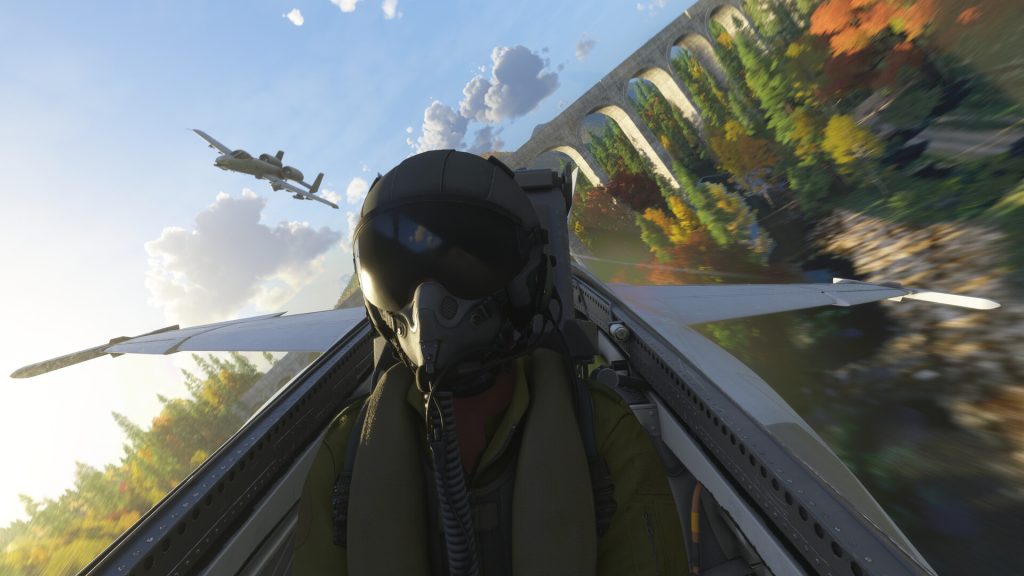
If your aim is to earn credits efficiently, then you should prioritise VIP and cargo work. They’re the most lucrative. While other paths are arguably more engaging – rescue operations, firefighting, even sightseeing – ferrying important people and shipments are your go-to for credit generation.
Check the Marketplace for Free Content
The Marketplace isn’t just an ecosystem for paid-for upgrades – there’s a handful of free city and world updates direct from Microsoft that are migrating across for PS5 players. These packs expand geologic detail – more points of interest, sharper terrain – with additional activities unlocked once they’re acquired. It isn’t just free content, but it broadens the sim meaningfully.






