





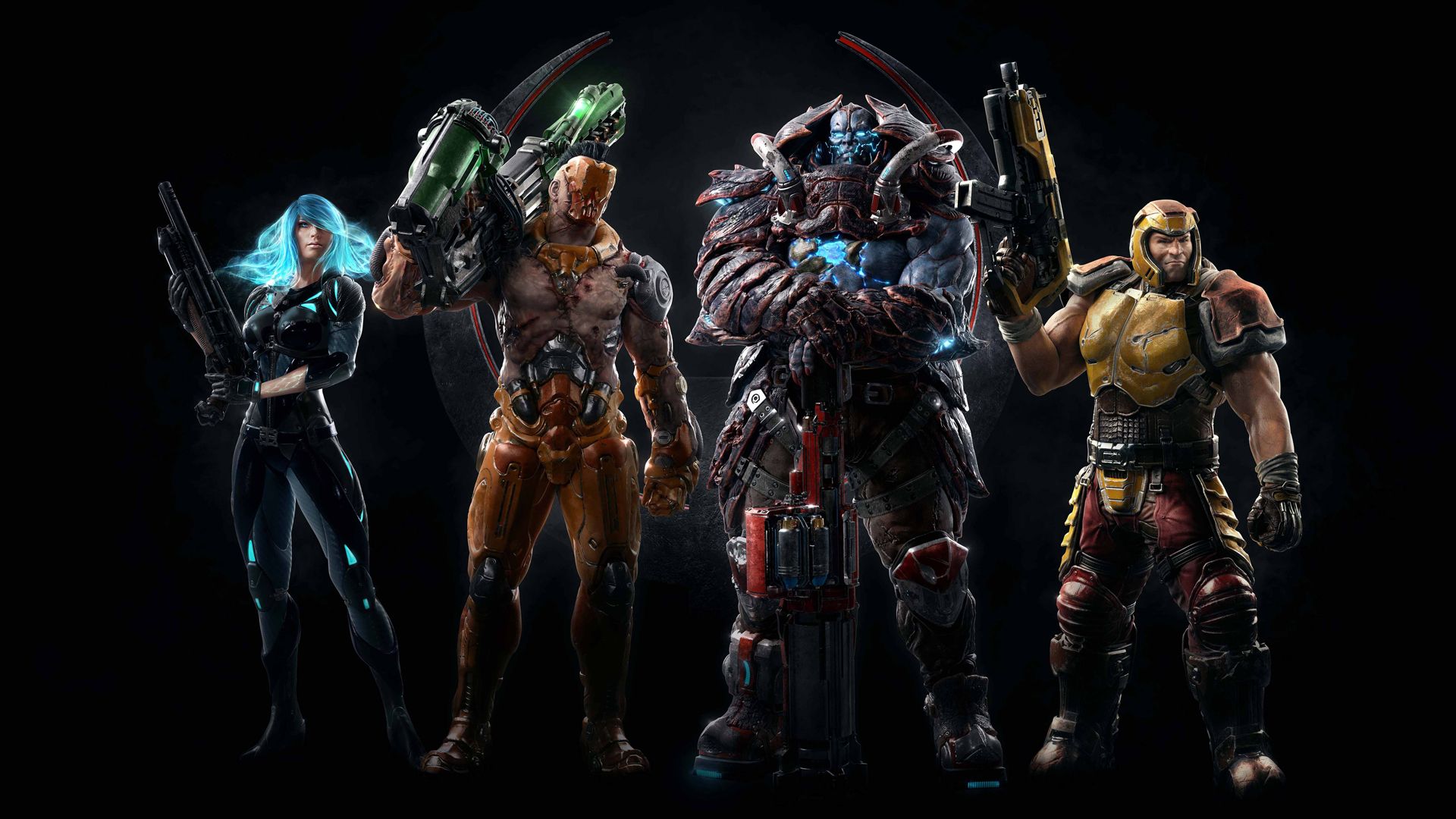
Developer id Software has announced that Quake Champions is going from a free-to-play to now having a price tag. In its announcement, the studio called it a “new chapter” for the multiplayer shooter, noting that it has also made 30 seasons’ worth of content that was added to Quake Champions available for free to all owners of the game.
Along with getting a price tag, Quake Champions now also no longer has any microtransactions or battle passes, and id Software has also confirmed that there are no plans to add any additional content to the shooter. Those who had already added Quake Champions to their Steam libraries while it was free-to-play don’t have to make any additional purchase, as the paid version of the game will be added to their libraries at no additional cost.
The only cosmetics that will not be made free to all owners of Quake Champions will be third-party ones, like AMD Ruby Nyx, the Twitch Rocket Launcher, and the Nvidia Pulsar Railgun, as well as merit-based rewards like QuakeCon Belts and Golden Crowns. Those who already own these cosmetics will be able to access them.
These changes have coincided with the release of update 1.31, which brought in three new weapons, additional weapon shaders, bug fixes, the new Callvote system, and a host of quality-of-life features. For a full list of changes brought in by the update, check out the patch notes below.
Id Software has also confirmed that it has reduced the number of data centers that host servers for Quake Champions, with more players being consolidated into the same server locations. While this will likely improve matchmaking times for a title that undoubtedly has a smaller player base now than it did at launch, the move also indicates that the studio is looking for ways to further reduce spending on the game.
Quake Champions was originally released in 2018 as an Early Access game before getting a full version in August 2022. Prior to it getting a price tag, id Software had continued sporadic support for the shooter with occasional updates that brought in balance changes and new content.
Quake Champions update 1.31 patch notes:
Major Product Changes
Removed Microtransactions & In-App Purchasing
- Removed Battle Pass
- Removed Weekly / Event Challenges
- Removed the Store
- Removed Platinum and Shard Currencies
- Removed Loot Boxes
- Removed Daily Login Rewards
- Removed Champion Progression (the shard reward path)
Most Vanity Content is now Available to All Users
- Third-party entitlements, such as AMD Ruby Nyx, Twitch Rocket Launcher, Nvidia Pulsar Railgun, and merit-based rewards like QuakeCon Belts and Golden Crowns, are hidden from the Customization list unless you already own them
- Golden Crowns can still be earned as ranked rewards for reaching Elite Rank and are hidden until unlocked
- All other items are unlocked and available for all users to equip
- All items are equipped through Customization
UI Reorganization
- Customization is now located on the top navigation of the Main Menu
- Profile customization (profiles, nameplates. Podiums) are now found inside the main Customization section next to Outfits and Weapons
Critical Fixes
- Fixed several crash conditions that could occur during map loading
- Fixed an anti-cheat false positive, surfaced as an Error 103 message
New Content
Weapons
- QCON 2026 Starting Machinegun
- QCON 2026 Starting Shotgun
- QCON 2026 Starting Nailgun
Weapon Shaders
- MOONSTRIKER Rocket Launcher: Purple and White weapon shader
- ERADICATOR Railgun: Green and Black weapon shader
Podiums
- Ithagnal’s HELL MAGIC Podium
Profile Icons
- 5 Team Arena Clan Profile Icons
New Features
Callvote System
Players can now issue callvotes to kick cheaters or abusive players
- Right-click on a player in the in-game Social menu to start a vote
- There must be 4 or more players in a match to call a vote
- Each player may only call 3 votes per match
- Players vote with their “Yes” (F1) and “No” (F2) Say Command binds
Weapon Accuracy UI & Fixes
- Enable Weapon Accuracy – Displays the accuracy for your current weapon in the lower right corner of your HUD
- Enable Weapon Bar Accuracies – Displays the accuracies for every weapon alongside your weapon bar on the right side of your HUD
- Fixed hitting not tracking hits for deployables such as totems, and turrets
Player Outline Thickness Options
- Added Enemy Outline BOLD option
- Added Ally Outline BOLD option
Adaptive FPS Stabilizer
- Reduces framerate spikes when you’re unable to maintain stable framerates at the framerate limit set (Game Options)
New Leveling System
- Players can now reach Level 999, but the journey will be long and hard fought!
- Players will earn 24-Hour Haste Bonus XP every 10 levels
- Player Profile Levels are now visible on the in-game scoreboard. This can help players identify accounts that are new to the game
Quality of Life
Learn Section
- The in-game Guide is now delivered via local web files, so it will no longer be blocked in some regions. Everyone can once again read the in-game guide information in the Learn section.
FPS Limiter Improvements
- Fixed the built-in frame-rate limiter’s precision and pacing
- Fixed the accuracy of the framerate on the HUD Show FPS display
Network Performance
- Reduced the total size of the network data being transmitted per player
Input System
- Threaded Input improvements for high polling rate mice and/or improved CPU usage
- Fixed old inputs from being processed as respawn actions, which would cause the player to instantly respawn or respawn before desired
Weapon Fixes
- Fixed the weapon trail prediction bug, causing multiple railgun trails
- Fixed weapon vanishing when swapping during a starting weapon upgrade that is actively in progress
Item Pickups & Dropped Items
- Fixed incoming power-up notification timing becoming desynced for players joining after the match starts
- When an item drops, it will now blink in the final moments before it despawns
- Unified how long weapons, armor shards, Stroyent, Blood Punch health, souls, and flags remain on the ground to 20 seconds
- When you drop a power-up with the Drop Power-Up command, the power-up’s duration will now deplete
- Fixed drop commands from issuing text chat messages when a dead player hits the bind
- Added Power-up icons into the frag list controller for kills earned by power-up carriers
Audio
- Fixed a crash that could occur when unplugging or plugging in a USB headset
- Fixed a bug that could cause jumppad sounds to play from the closest jumppad to the player instead of the correct jumppad of origin
- Fixed missing jump, landing, falling, and jumppad sounds.
- These were delivered in unreliable packets that could get lost
- These events are now reliable
- These events are now synthesized client-side when the network data fails to arrive within 200ms of the event
- Improved the announcer VO queue system
- It will now play a sound when selecting an audio option (armor beep, armor break, hit beep, kill beep)
- Fixed winning / neutral / losing music in objective & round-based modes (CTF / Sac)
- Fixed detecting the correct mood (winning / neutral / losing) when switching soundtracks mid-match
- Increased the volume of the weapon switch sound
- Fixed an issue in the Say Command system that could have produced multiple say commands to be sent
- Fixed Dialogue VO cooldown that would cause some say commands to trigger text-only without VO
Playlist Queue Stats
- Enabled playlist queue size information in the Play Now UI
- In-Game: How many players are in a match on your datacenters for your current playlist selection
- In Queue: How many players are queuing on your datacenters for your current playlist selection
- Recommended: Our best datacenter recommendation considering both your ping and how many players are active on the datacenter
Bot Improvements
- Bots are now marked as Level 0 on in-game scoreboards so that they can be more easily identified by new players
- Fixed bots from having perfect aim for up to five seconds following the use of their abilities
- Fixed bots from targeting their own totems or turrets as enemies. This behavior would occur after dropping their deployable and then dying, causing them to lose track of their ownership
- Added the ability for bots to recognize incoming rockets and be able to intentionally dodge them, either by strafing or on some occasions jumping to the side to avoid either a direct rocket or splash damage from a predicated impact
- Improved bot’s side-to-side dodging, making less predictable
- Added the ability for bots to recognize when they are taking damage and to adjust their movement mechanics and goals
- Add a bot health management system that includes scaled urgency for picking up health depending on their health value, combat retreat when losing a fight, and refusing bad fights in the first place that they are not yet equipped to win
- In team games, when bots are in a team of at least 3 players, if the bot is in last place on their team, they will now improve their mechanical skills, becoming a better player and more effective teammate for as long as they remain in last place on their team
Spectator Fixes
- Fixed the spectator camera’s Auto-Follow behaviors, now when a follow mode is enabled it will immediately switch to an appropriate target if one exists (ie, power-up or soul carrier)
- Added Follow-Mode highlighting to the Spectator Hints UI to communicate what follow mode the spectator camera actively has enabled
Game Modes
- Fixed Sudden Death bug in games set with Scorelimit 0
- Fixed XP rewards for XP earned in games set with Scorelimit 0
- Added the Weapon Bar, Ammo UI, and the new Weapon Accuracy UIs to the Clan Arena and Slipgate spectator HUDs
- Breakables and Lore Scrolls will no longer spawn in game modes where Health items do not spawn, such as Clan Arena
Maps
Lockbox
- Item layout updated: the Heavy Machinegun is now near Mega Health and the Super Nailgn is now near Heavy Armor stairs.
- Corrected spawns that faced away from the weapon pickup
Tower of Koth
- We once again use the large version of Tower of Koth for FFA, TDM, and IG
- Duel, 2v2, and UHT still use the smaller version
Champion Updates
Ranger Dire Orb Updates
- Dire Orb collision size reduced by 40% from 1m to 0.6m radius
- Splash damage now falls off from full damage down to 50% damage based on the distance from origin of explosion
- When someone else destroys Ranger’s orb, Ranger will regain 50% of his cooldown
Additional Champions
- Death Knight: Fixed centered weapons moving to the right after ability usage
- Doom Slayer: Added VO dialogue for say binds
- Doom Slayer: Fixed Double-Jump from sometimes automatically triggering when jumping off the ground
- Galena: Fixed in-active player totems not appearing solid through walls and would appear the same as in-active teammate totems
- Nyx: Fixed Ghostwalk gun visibility issue after going invisible while holding the default Heavy Machinegun with a weapon shader applied
- Random: Fixed Ranger not being chosen by the RANDOM champion any mode where it would lock in a single selection for the entirety of the match, such as Duel
- Scalebearer: Fixed Scalebearer Bull Rush target detection
- Sorlag: Fixed centered weapons moving to the right after ability usage
- Strogg: Fixed Pro League outfit effects in the main menu
- Strogg: Fixed an issue that could cause the Strogg player model from entirely vanishing when entering or exiting cloak
- Strogg: Fixed the cloaking particle effects when entering or exiting cloak
Main Menu UI
- Fixed the persistent blur effect in the main menu after escaping the Battle Report
- Fixed repeated ranked sequences and improved Battle Report navigation
- Fixed missing K/D data on Battle Report statistics
- Fixed the sorting of bot names in the Custom Game Lobby Add Bot dropdown list to now be alphabetical
- Fixed the Champion Roster from closing after making a champion selection while in the Weapon Customization menu
- Fixed duplicate values in the Custom Game Score Limit, Time Limit, and Weapon Respawn Time dropdowns, adding support for them to now default to the correct value instead of the first in the list. We now also mark the default value for easy identification
- Fixed the Armor Break FX setting description
- Fixed changing podiums in customizations not automatically refreshing the actively loaded podium
- Fixed the head icon art for Random in the bot dropdown list
Vanity Items
- Fixed Weapon Shader loadout saving
- Fixed vanity items that didn’t receive Quad Damage or Protection power-up effects
- Fixed Skull & Bone Podium texture quality
Datacenter Updates
- We have reduced the number of datacenter locations, consolidating more players into the same server locations to provide faster MatchMaking. We recommend that you check your selected datacenters in-game and utilize the new Playlist Queue stats to help determine the best datacenters to use when searching for matches.